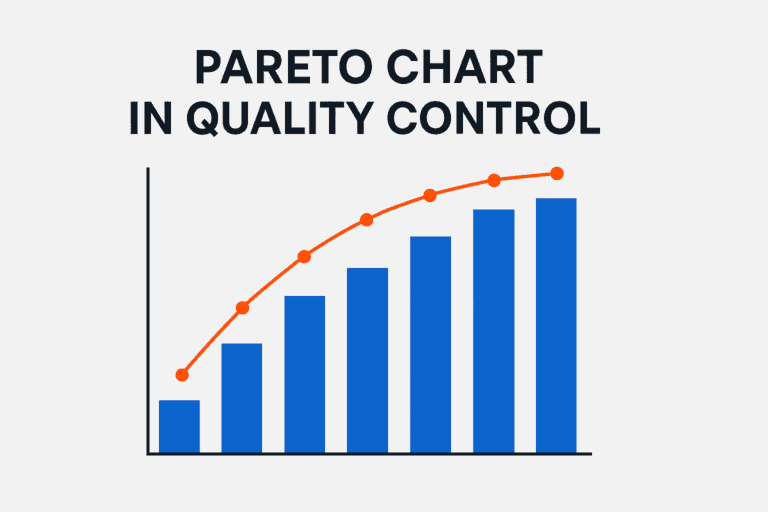
A quality control chart, or control chart, is a time-ordered graph of a process measurement with a center line and an upper and lower control limit calculated from the process data. Points inside the limits show normal variation. A point outside the limits, or an unusual pattern, signals a special cause that the team should find and remove.
Control charts are the core tool of statistical process control, or SPC, and one of the seven basic quality tools. This guide explains the types of control charts, how to calculate control limits, how to read the chart, how it differs from a pre-control chart, and how manufacturing plants use it to keep processes stable.
- A control chart shows the voice of the process. Its limits come from process data, not from the drawing or the customer specification.
- Control limits are usually set at ±3 standard deviations from the average, so a point outside them is very unlikely to be random noise.
- Choose the chart by data type: X-bar and R or I-MR for measured values, p, np, c or u for counted defects.
- A pre-control chart uses the specification limits instead. It is useful after changeovers, but it does not detect shifts and trends reliably.
What is a quality control chart?
A control chart plots a measured value, such as a shaft diameter or a fill weight, or a count, such as defects per batch, in the order the parts were made. It has three lines. The center line is the process average. The upper control limit and the lower control limit mark how far the process normally varies around that average.
Walter A. Shewhart developed the control chart at Bell Telephone Laboratories in the 1920s. His key idea was that every process has two kinds of variation. Common cause variation is the normal noise of a stable process: small differences in material, machine and environment. Special cause variation comes from something specific that changed, for example a worn tool, a new material batch or a wrong setting. The control chart separates the two, so the team reacts only to real signals. The international standard series for control charts is ISO 7870.
Control limits describe what the process actually does. They are calculated from process data and are not tied to the specification limits. This is why the control chart is called the voice of the process, while the specification is the voice of the customer.

Which type of control chart should you use?
The right chart depends on the kind of data you collect. Variable data is measured on a scale, such as length, weight or torque. Attribute data is counted, such as the number of defective parts or the number of defects on one unit.
| Chart | Data | Subgroup | Typical use |
|---|---|---|---|
| X-bar and R | Measured values | 2–9 parts | Dimensions or weights sampled from a machine every hour |
| X-bar and S | Measured values | 10 or more parts | Large subgroups, for example from automatic gauging |
| I-MR, individuals and moving range | Measured values | 1 part | Slow processes, batch chemistry, destructive tests |
| p chart | Share of defective units | Can vary | Percentage of rejected parts per lot of different size |
| np chart | Number of defective units | Constant | Rejected parts per fixed sample of 50 |
| c chart | Number of defects | Constant unit | Paint defects per car body |
| u chart | Defects per unit | Can vary | Weld defects per meter on parts of different length |
Variable charts are more sensitive than attribute charts and need fewer samples to detect a change. Use them for critical characteristics. Attribute charts are simpler and work well for visual inspection and final audits.
How do you make a control chart?
You can build a control chart in Excel, in statistical software such as Minitab, or in the SPC module of your MES. The steps are the same:
- Choose the characteristicPick a characteristic that matters to the customer or to the next process, for example a critical dimension from the control plan.
- Check the measurement systemMake sure the gauge is calibrated and the measurement system analysis is acceptable. A poor gauge adds noise to the chart.
- Define rational subgroupsTake parts made under the same conditions, for example 5 consecutive parts from one machine. Variation inside a subgroup should be only common cause.
- Collect the base dataCollect 20–25 subgroups from a process that runs normally, before you calculate any limits.
- Calculate the center line and limitsCalculate the average and the control limits with the formulas for your chart type.
- Plot and check the base periodPlot the points. If any point is out of control, find the cause, remove it and recalculate the limits.
- Monitor and reactKeep plotting new subgroups against the fixed limits and follow the reaction plan when the chart gives a signal.
How do you calculate control limits?
For most charts the limits are the average plus and minus three standard deviations of the plotted statistic. In practice the standard deviation is estimated from the subgroup ranges and a constant that depends on the subgroup size. For the X-bar and R chart the formulas are:
- X-bar chart: center line = grand average X̿. Upper control limit = X̿ + A2 × R̄. Lower control limit = X̿ − A2 × R̄.
- R chart: center line = average range R̄. Upper control limit = D4 × R̄. Lower control limit = D3 × R̄.
- For a subgroup of 5 parts, the constants are A2 = 0.577, D3 = 0 and D4 = 2.114.
Here is an illustrative example. A machining cell checks a 25 mm diameter in subgroups of 5 parts. After 25 subgroups the grand average is 25.000 mm and the average range is 0.100 mm.
| Line | X-bar chart | R chart |
|---|---|---|
| Upper control limit | 25.058 mm | 0.211 mm |
| Center line | 25.000 mm | 0.100 mm |
| Lower control limit | 24.942 mm | 0 mm |
If the drawing allows 25.00 ± 0.15 mm, the control limits sit well inside the specification. That is what a capable process looks like. The numbers are illustrative.
The X-bar chart plots subgroup averages, and averages vary less than single parts. If you add the specification limits to it, the process looks safer than it is. Keep specification limits for histograms and capability studies.
How do you read a control chart?
A process is in statistical control when the points vary randomly around the center line and stay inside the limits. The chart signals a special cause when you see one of these patterns. They are based on the Western Electric and Nelson rules:
- One point outside the upper or lower control limit.
- 7 or more points in a row on the same side of the center line.
- 6 or more points in a row steadily rising or falling.
- 2 out of 3 points in a row close to the same control limit.
- 14 points in a row alternating up and down.
- A repeating cycle or points that hug the center line far too closely.
Agree on which rules your plant uses and write them into the work instruction. Using too many rules at once raises the number of false alarms. Many plants start with the first three.

What should you do when a process is out of control?
A signal on the chart is a request to act, not only to record. A good reaction plan says who stops the process, what happens to the parts made since the last good subgroup, and who looks for the cause. In automotive plants this reaction plan is part of the control plan. See our article on the PFMEA and control plan.
- Stop or contain: hold the suspect parts and check them against the specification.
- Find the special cause: what changed in material, machine, method, operator or measurement?
- Correct it and record the cause and the action directly on the chart.
- Confirm with the next subgroups that the process is back in control.
- If the same signal returns, start a root cause analysis with the team.
For the root cause step, see structured problem solving. When many different defects compete for attention, rank them first with a Pareto chart in quality control, then put a control chart on the characteristic that matters most.
Operators plot the data themselves, every signal has a note with the cause and the action, and the limits get narrower after each real improvement.
The interim management guide for manufacturing companies
How to brief, hire and onboard an interim expert for a quality project, with checklists for your next assignment.
- When an interim expert pays off
- How to write a mandate
- The first 30 days, week by week
What is a pre-control chart and how does it differ from a control chart?
A pre-control chart is a simpler tool that some plants use at the machine. It does not calculate limits from process data. It splits the tolerance into zones. The green zone is the middle half of the tolerance around the target. The yellow zones are the outer quarters of the tolerance. Everything outside the specification limits is red.
To qualify the process, 5 consecutive parts must fall in the green zone. After that, the operator checks 2 consecutive parts at regular intervals:
- Both parts green, or one green and one yellow: continue production.
- Both parts yellow: stop and adjust the process.
- Any part red: stop and adjust the process.
- To restart, 5 parts in a row must again fall in the green zone.
The sampling frequency comes from the stops. The usual rule is to divide the average interval between two stops by six.
The two tools rest on different ideas. Pre-control treats every part inside the specification as good, and a part at the edge of the tolerance is as good as one on target. Control charts follow the Taguchi loss idea. Every deviation from the target creates some loss, because the next steps in the value stream have to absorb that variation. A part made on target is therefore worth more than a part made at the specification limit.
| Aspect | Pre-control chart | Control chart |
|---|---|---|
| Limits based on | Specification limits, the voice of the customer | Process data, the voice of the process |
| View of quality | Inside the specification is good | Any deviation from target costs money |
| Detects shifts, drifts and trends | Not with statistical certainty | Yes, with clear rules |
| Data needed to start | 5 parts in the green zone | 20–25 subgroups |
| Best use | Setup and changeovers | Ongoing monitoring and improvement |
Pre-control is most useful right after a changeover. It helps center the process until there is enough data to calculate control limits and confirm capability. Change the rule “stop and adjust” to “stop and investigate”, so that operators do not over-adjust a process that is only showing normal variation. Used this way, as part of the changeover procedure, pre-control protects the customer until the process is stable, in control and capable.
How do manufacturing plants use control charts?
In automotive and industrial plants, SPC is a standard customer requirement. IATF 16949 and the core tools expect control charts on special characteristics and capability studies before series production. Typical uses are:
- Critical dimensions on machining, molding and stamping lines, with X-bar and R or I-MR charts at the machine.
- Process parameters such as temperature, pressure or torque, often charted automatically from sensors.
- Defect rates at final inspection or customer audits, with p or u charts.
- Launches and changes: proving that a new or changed process is stable before the customer approves it.
- Improvement projects: the Control phase of Six Sigma DMAIC uses control charts to hold the gain.
Many plants now collect the data automatically and see the charts live in the MES or SPC software. That removes manual work, but it does not replace the reaction. The value comes from people who look at the signals and act on them every shift. This is one of the ideas behind the principles of TQM: decisions based on facts, made by the people closest to the process.
How GQ Interim helps
Plotting a control chart is easy. Getting a plant to run SPC that catches problems before the customer does is harder. It takes clean measurement systems, sensible subgroups, clear reaction plans and operators who trust the charts. When your quality team is busy with complaints and audits, an interim manager can set this up during the assignment and hand over a working system.
Since 2011, GQ Interim has completed 1,550+ projects in manufacturing and industrial companies across Central and Eastern Europe, for clients such as Stellantis, Porsche, Siemens, Valeo and Magna. Our database holds 7,500+ verified experts, including interim quality managers who have introduced SPC, passed customer audits and stabilized launches in automotive and industrial plants. We are certified to ISO 9001 and TISAX.
Conclusion
A quality control chart tells you when a process has changed and when it has not. Choose the chart that fits your data, calculate the limits from a stable base period, and agree on clear rules and a reaction plan. Use pre-control only where it helps, for example after changeovers. When operators act on every signal, the chart stops being paperwork and starts preventing defects.
Make your processes stable and predictable with an expert
Tell us which processes, audits or customer requirements are causing trouble. We come back with profiles of quality experts who have solved them before.
Frequently asked questions
What is the difference between control limits and specification limits?
Control limits are calculated from process data and show how the process normally varies. Specification limits come from the drawing or the customer and show what the product must meet. A process can be in control and still make parts outside the specification, or be out of control while all parts are still good.
Why are control limits set at 3 sigma?
Three standard deviations on each side cover about 99.7% of the values of a stable, roughly normal process. A point outside the limits is therefore very unlikely to be random. Narrower limits would cause more false alarms, wider limits would miss real changes.
What is the difference between an X-bar and R chart and an X-bar and S chart?
Both chart subgroup averages. The R chart uses the range of each subgroup and is common for small subgroups of 2–9 parts. The S chart uses the standard deviation and is better for subgroups of 10 or more parts.
What is the difference between a p chart and an np chart?
Both chart defective units. The p chart plots the share of defective units and works when the sample size changes. The np chart plots the number of defective units and needs a constant sample size.
What is the difference between a control chart and process capability?
The control chart shows whether the process is stable over a period. Capability indices such as Cp and Cpk compare the spread of a stable process with the specification. Check stability with the control chart first, then calculate capability.
How many data points do you need for a control chart?
A common rule is 20–25 subgroups, for example 100–125 parts in subgroups of 5, before you set the limits. With fewer points, treat the limits as preliminary and recalculate them later.
How do you make a control chart in Excel?
Enter the subgroup data in rows, calculate the average and range of each subgroup, then the grand average and average range. Calculate the limits with the constants for your subgroup size and plot the averages, the center line and both limits as a line chart.
When is a control chart not enough?
A standard Shewhart chart is slow to detect small, gradual shifts. For those, CUSUM or EWMA charts are more sensitive. Control charts also need a working measurement system, so check the gauge first.
When should you use a control chart in Six Sigma?
In the Measure phase it shows whether the process is stable before you study it. In the Control phase of DMAIC it holds the improvement and warns the team if the process slips back.